Schema Markup: What It Is, Which Type You Need, and How to Add It Without Code
What schema markup is, what it does for your site and what it does not, which type you need for your clinic, store or article, and how to write and test it without writing a line of code.
In this article
- What is schema markup (structured data)?
- What it does for your site, and what it does not
- Which type do you need?
- Common mistakes
- How do you test it?
- Build schema markup without code in Rankdar
- Frequently asked questions
- Should I add structured data to every page?
- I use Yoast or Rank Math. Do I need anything else?
- Does it help with AI?
- In short
Some Google results show star ratings, a product's price and stock, an event's date, or the page's path inside the site instead of its long address. These details usually come from one thing: structured data, often called schema markup. This article explains what it is, what it does for your site and what it does not, which type you need, and how to write and test it without writing a line of code.
What is schema markup (structured data)?
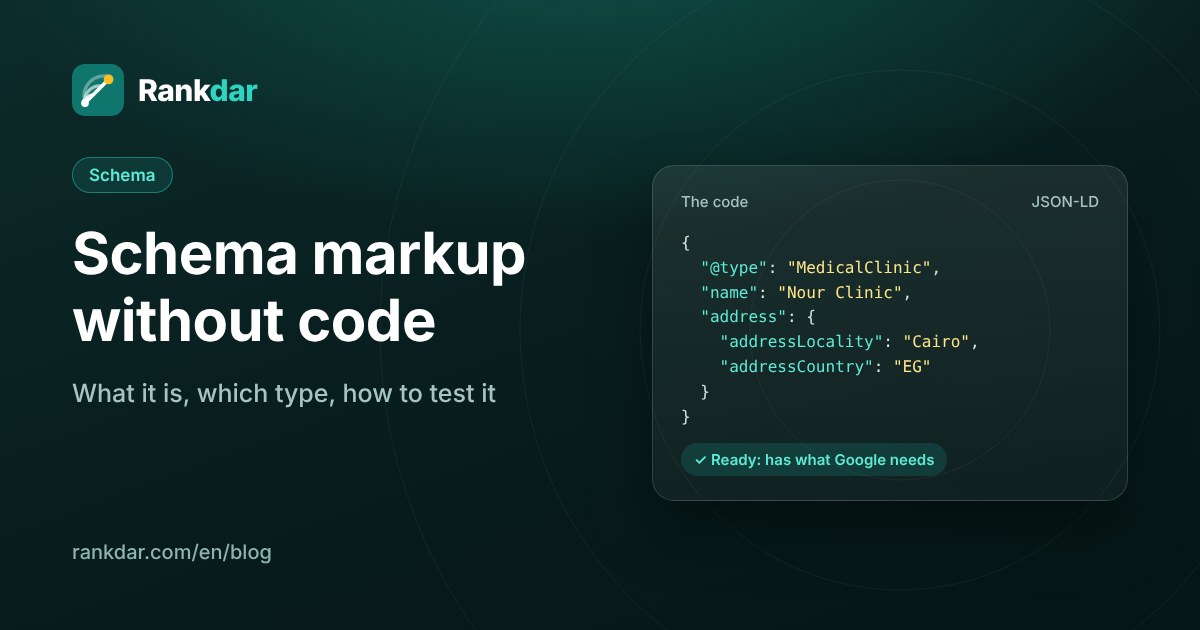
Your page is written for people: a visitor reads "Nour Clinic, 90th Street, Cairo, Saturday to Thursday" and understands. Search engines need the same facts told in a language machines read: this page is about a local business, its name is this, its address is that, its hours are these. That is structured data: a short piece of code in the page that describes it with an agreed vocabulary.
The vocabulary comes from Schema.org, launched by Google, Microsoft and Yahoo in 2011, with Yandex joining a few months later, which is why many people just call it "schema". Its most common format is JSON-LD, the one Google recommends, and it looks like this:
<script type="application/ld+json">
{
  "@context": "https://schema.org",
  "@type": "MedicalClinic",
  "name": "Nour Clinic",
  "telephone": "+20 2 1234 5678",
  "address": {
    "@type": "PostalAddress",
    "addressLocality": "Cairo",
    "addressCountry": "EG"
  }
}
</script>
Visitors do not see it; Google and others read it when they visit the page.
What it does for your site, and what it does not
It makes your page eligible for rich results: price, rating, event date, page path. Eligible, not guaranteed: Google decides when to show them.
It helps search engines understand your page: who you are, what you offer and where, without guessing from the text.
It does not raise your ranking by itself: Google says structured data is not a direct ranking factor. Its value is in how your result looks and how well the page is understood, which can bring more clicks.
It must match what is on the page: do not put a rating or a price in it that visitors cannot see. Google treats that as against its guidelines, and your pages can lose rich results because of it.
Which type do you need?
Schema.org has hundreds of types, but most sites need only a few. These are the most useful, with what Google needs in each to accept it for rich results:
Type | When to use it | What Google needs |
|---|---|---|
LocalBusiness (and its kinds: clinic, restaurant, store, law office…) | A business with an address people visit | Name and address |
Organization | The company itself: its name, logo and profiles | Nothing required; logo, URL and profiles recommended |
Product | A product page | Name, with a price (Offer), a rating or a review |
Article | Articles and news | Nothing required; headline, image and publish date recommended |
Event | An event, webinar or course with a date | Name, start date and place (or its link if it is online) |
BreadcrumbList | The page's path inside the site | The path's items, in order |
VideoObject | A page with a video | Name, thumbnail and upload date |
FAQPage | A questions-and-answers page | No longer shown in Google results since May 7, 2026 |
About FAQs in particular: Google limited them to well-known government and health sites in August 2023, then stopped showing them for all sites from May 7, 2026, as its Search Central documentation notes. So do not expect a special look in the results from them, though they still tell search engines and AI tools that your page answers these questions.
Common mistakes
Data that is not on the page: a rating, price or hours that exist only in the code. Put in the code only what visitors can see.
A missing or extra comma: one error in the JSON makes the whole block unreadable, so Google sees none of it.
Conflicting data: the theme writes the company name one way and an SEO plugin another. Check what each plugin already adds before adding more.
Formats machines cannot read: a price of "1,250 EGP" instead of the number 1250 with EGP in the currency field, or a date of "1st December" instead of 2026-12-01.
The wrong type: a clinic described only as an Organization, so its address and hours are lost. Pick the most precise type for your business.
How do you test it?
Once it is added, paste the page's address or the code into Google's Rich Results Test to see whether Google accepts it for rich results, and into the Schema.org validator to check the code against the whole vocabulary. Then follow the Enhancements reports in Google Search Console, which list the errors across all your site's pages.
Build schema markup without code in Rankdar
We added a Schema section to Rankdar for anyone who does not want to write JSON by hand:
Read your page first: enter its address, and we show the structured data it has, what Google needs that it lacks, and any blocks that are not valid.
Pick what you are describing: a local business, a company, a product, an article, an event, an FAQ, breadcrumbs, a service, a person or a video, each with its fields in plain words, in Arabic and English.
Fill the fields, or take them from the page: name, description, image, phone and profiles, even the questions your page answers in its headings.
Check it is "Ready": the code is checked with the same rules as Site Health, and we tell you what Google still needs before you publish it.
Copy it or apply it: copy the code into the page's head, or, if your site runs WordPress with the Rankdar SEO plugin, apply it on the page with one click and remove it whenever you like.
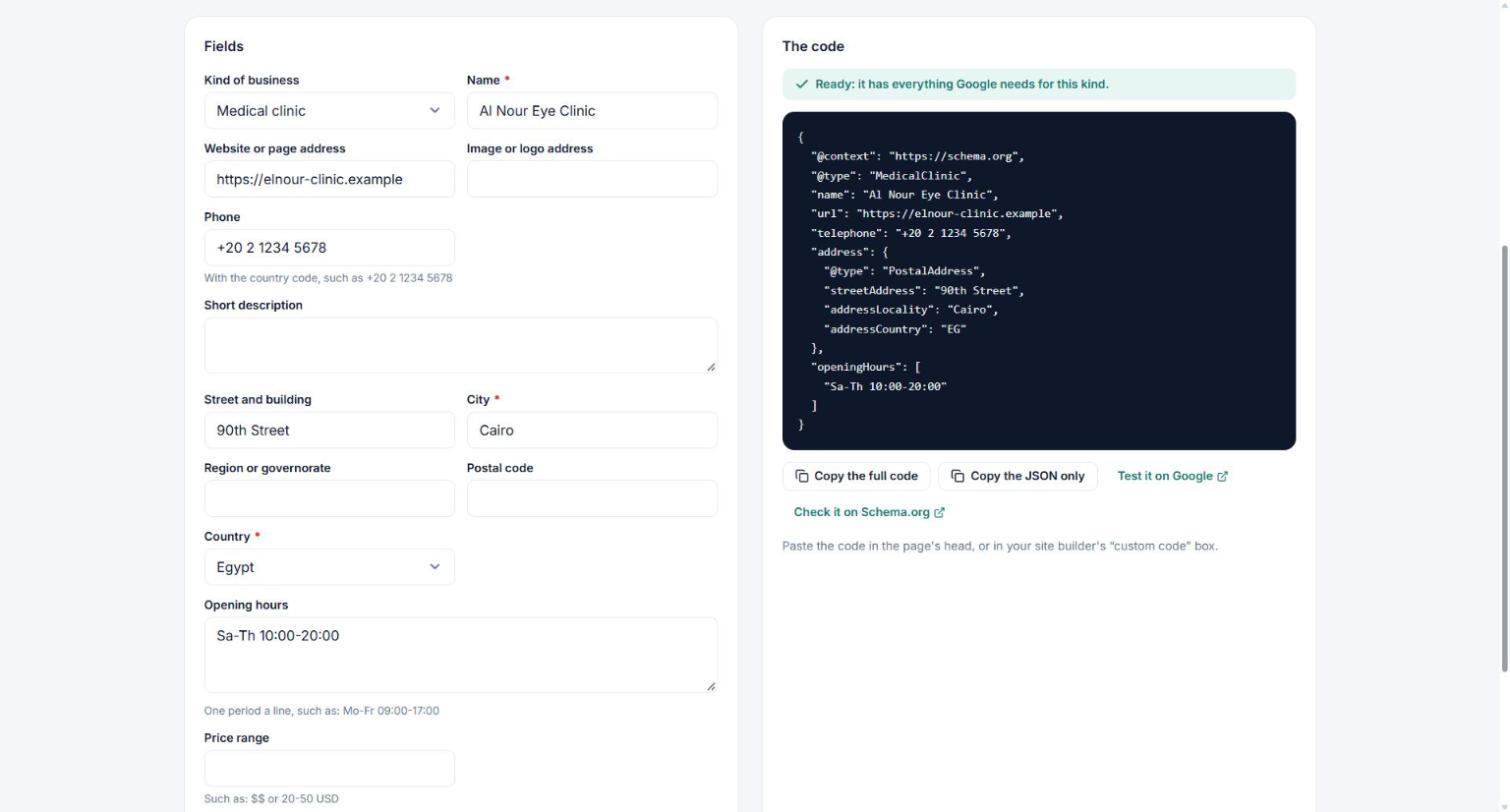
Rankdar's schema builder (sample data: the clinic and its site are not real).
Reading pages, building the code and applying it use no credits.
Frequently asked questions
Should I add structured data to every page?
Add to each page what describes it: your business or company on the home page, product data on each product page, an article on each article, and breadcrumbs on inner pages.
I use Yoast or Rank Math. Do I need anything else?
Popular SEO plugins add basic data about the site, the page and the article. Your local business details, such as address and hours, or a product's or an event's data, may need adding yourself or a paid version of the plugin. Read your page in Rankdar to see what it has now before you decide.
Does it help with AI?
Structured data is a clear way to tell machines who you are and what you offer, and AI search tools read web pages much as search engines do. But nobody can promise that a given tool will mention you because of it; clear, useful content is still the foundation.
Read next: Local SEO for clinics and doctors, where LocalBusiness markup matters most, and getting cited in AI answers.
In short
Schema markup does not raise your ranking on its own, but it makes your result clearer and richer and helps search engines understand your business. Pick the type that describes your page, fill what Google needs, put in it only what is on the page, then test it. Try Rankdar's Schema builder for free.
- #Schema
- #Structured data
- #Technical SEO